
In this guide
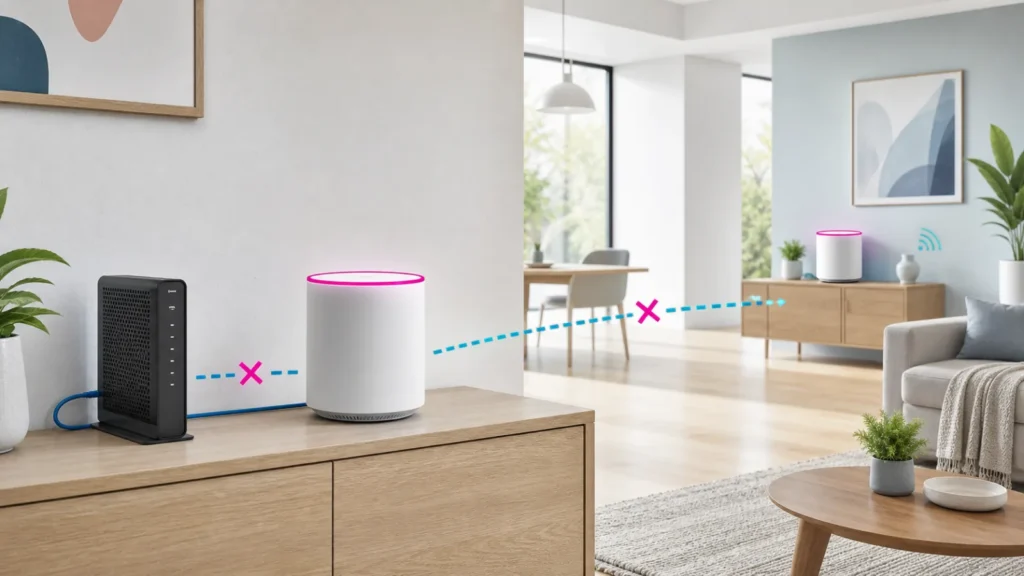
A magenta Orbi light has two different meanings, and treating them as one problem wastes time. On the Orbi router, solid magenta means the router has no internet connection. On a satellite, solid magenta means the satellite has no backhaul connection to the router or has not received an IP address. Identify which unit is lit before you reboot, move, sync, or reset anything.
Read the light by device, not color alone
| Light location | Official meaning | First useful check |
|---|---|---|
| Router ring: solid magenta | No internet connection | Confirm the modem is online and inspect the WAN cable |
| Satellite ring: solid magenta | No router backhaul or no IP address | Move it closer and sync again |
| Satellite ring: blue for three minutes | Good backhaul | Leave placement unchanged |
| Satellite ring: amber for three minutes | Fair backhaul | Reduce distance or obstacles |
| Ring off after startup | Normal connected state | No action based on the LED alone |
Path A: the Orbi router is magenta
- Check the modem or fiber terminal. Its online light should be stable. If the ISP device is offline, Orbi cannot create an internet connection.
- Inspect the Ethernet path. Confirm the modem is connected to the Orbi router’s Internet or WAN port, not a LAN port. Reseat both ends and try a known-good cable.
- Restart in order. Turn off the modem and Orbi router. Power the modem first and wait until it is fully online. Then power the Orbi router.
- Test the source when practical. A direct wired test at the modem can separate an ISP outage from an Orbi WAN problem. Some providers bind service to one device, so follow the ISP’s reconnection instructions.
- Check the Orbi app or web interface. Record the internet status, WAN IP, and any error before changing advanced settings.
If the modem has no service, contact the provider with the modem light status and outage time. If the modem works directly but the router stays magenta with a tested cable, check whether the ISP requires PPPoE credentials, a VLAN, or a modem reboot after changing routers. Do not copy random DNS or MAC settings unless they match your provider’s requirements.
Path B: only an Orbi satellite is magenta
When internet works near the router but one satellite is magenta, the ISP is unlikely to be the main fault. Place the satellite in the same room as the router for the synchronization test. Power it on, wait for startup, then use the Sync buttons according to the NETGEAR instructions. Do not press and hold Reset by mistake.
A blue ring after sync indicates a good backhaul. Amber indicates a usable but weaker connection. Magenta means the satellite still cannot form backhaul or obtain an address. Once it syncs nearby, move it halfway toward the coverage area rather than directly into the dead zone. Thick concrete, metal cabinets, mirrors, heated floors, and multiple levels can weaken backhaul.
Change one variable and keep a short log
| Test | Result to record | What it separates |
|---|---|---|
| Known-good WAN cable | Router light and WAN IP | Cable fault from configuration |
| Modem first power cycle | Modem online before Orbi starts | Startup order from persistent outage |
| Satellite beside router | Blue, amber, or magenta | Distance from sync or firmware issue |
| One satellite powered at a time | Which unit joins | Single-device fault from whole mesh |
Firmware and reset: when they belong
Check that the router and satellites run compatible current firmware using the Orbi administration interface. Keep power connected during an update. If one satellite is visible but will not update, document its model and current version before contacting support. Firmware should be addressed after basic power, cable, and close-range sync checks because an offline ISP modem cannot be repaired by a mesh update.
Use factory reset only after you have saved the ISP settings, Wi-Fi name, device list, parental controls, and any custom reservations. A reset removes configuration and can turn a clear backhaul problem into a longer setup problem. If several satellites fail close-range sync after correct firmware and power checks, NETGEAR support can use the exact model numbers and LED sequence to narrow the issue.
Common mistakes
- Resetting the entire mesh when the modem itself is offline.
- Moving a satellite farther into a dead zone before confirming close-range sync.
- Calling every magenta light an ISP outage.
- Changing the WAN cable, DNS, firmware, and satellite position in one attempt.
- Using the Reset pinhole when the intended action was a short press of Sync.
Related troubleshooting guides
- دليل Orbi بالضوء البنفسجي باللغة العربية
- Nest Wifi Pro offline: internet or mesh?
- eero red light and offline troubleshooting
Sources and review
- NETGEAR: Orbi router and satellite LED meanings
- NETGEAR: synchronize an Orbi router and satellite
- NETGEAR: factory reset an Orbi system
Frequently asked questions
Why is my Orbi router magenta while Wi-Fi still appears?
The wireless network name can remain visible even when the router has no internet. Check the modem, WAN cable, and WAN status rather than the Wi-Fi signal bars.
Why is only one satellite magenta?
That usually points to that satellite’s backhaul, placement, power, synchronization, IP assignment, or firmware rather than a complete ISP outage.
Should I factory reset immediately?
No. Verify the modem and WAN cable for router magenta, or close-range placement and sync for satellite magenta. Reset only after recording settings and exhausting the narrower tests.